.png)
Add or change due dates for a course
You can set a due date for an user for a course and docs to sign.
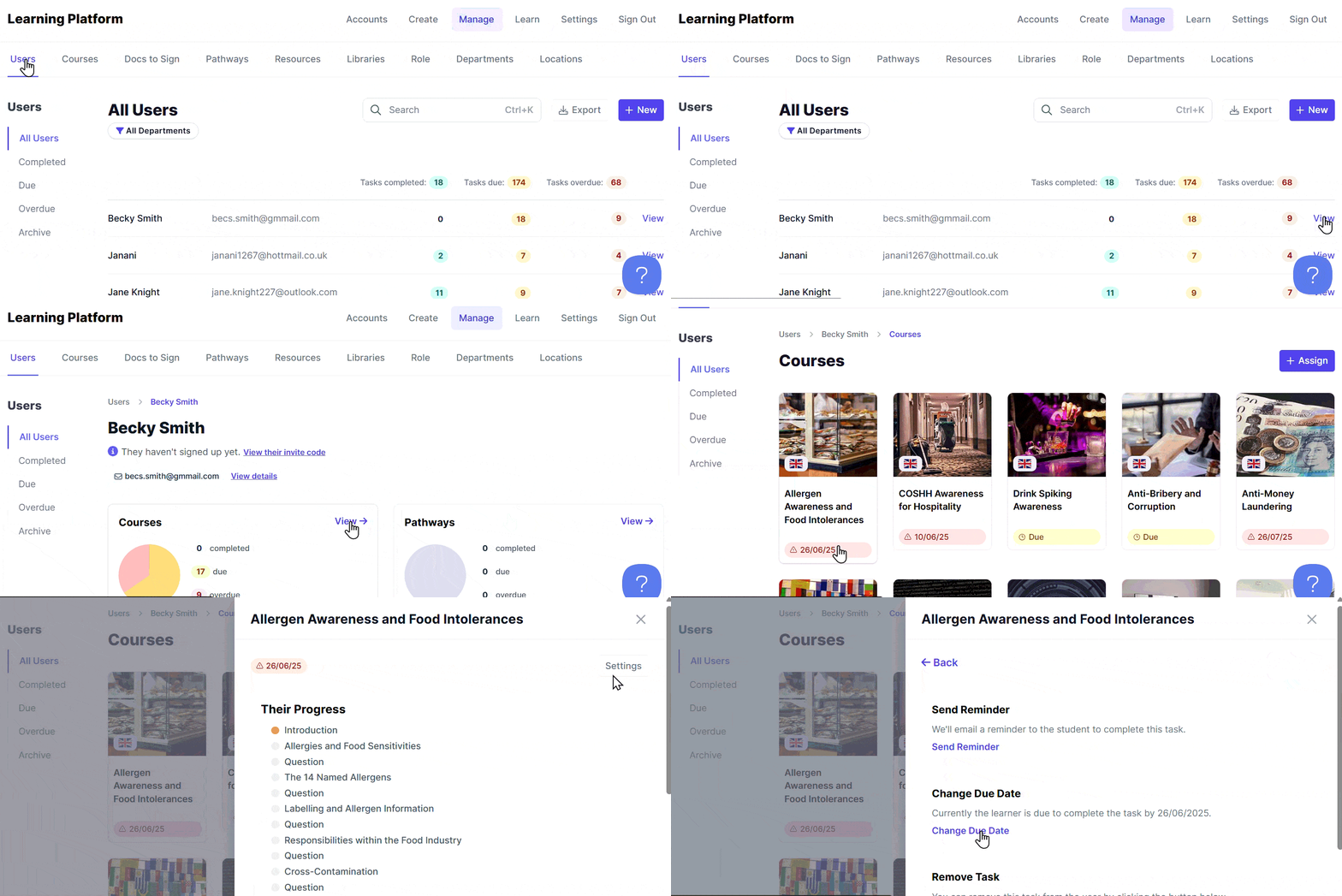
- Go to your Users in the Manage area.
- Click View next to the relevant User
- To update a course due date, click View on the Courses tile
- Click on the relevant course Tile
- Click Settings
- Select Change Due Date
⚠️ Important: For compliance courses, be careful when changing due dates — this could impact whether a user is considered compliant.